
Interviews
Adding an interview
Section titled “Adding an interview”Interviews belong to a job: add them on the job’s page, under Interviews, with Add interview. Every field is optional:
- Round: choose one of the usual rounds (Phone screen, Recruiter call, Technical, Take-home, Hiring manager, Panel, Final), or Other… to type your own.
- Date and time: leave it blank if it isn’t scheduled yet. It’s in your own time zone.
- Mode: remote, in person or phone.
- Notes.
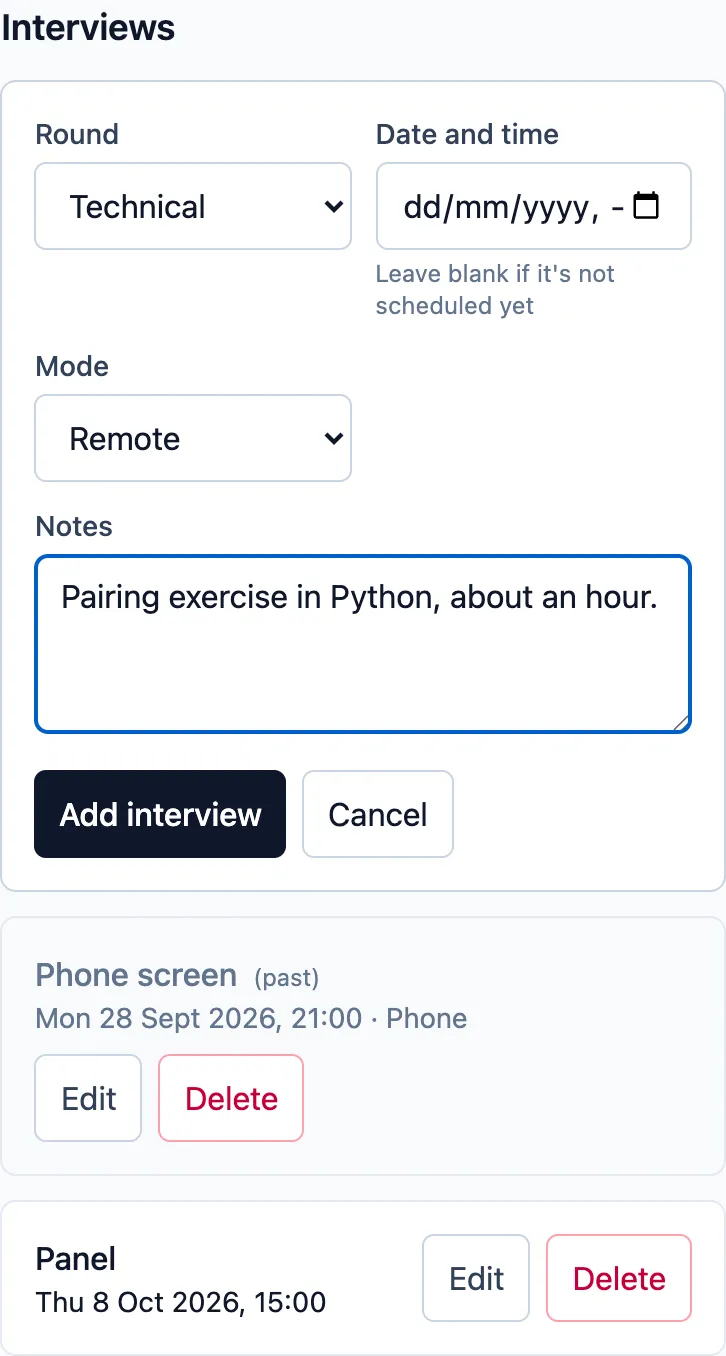
After adding an interview to a job that’s still Saved or Applied, Job Tracker offers to move it to Interviewing.
Each interview can be edited, or deleted after confirming. Past interviews are marked.
The interviews page
Section titled “The interviews page”Interviews in the header lists every interview across your jobs, in three groups:
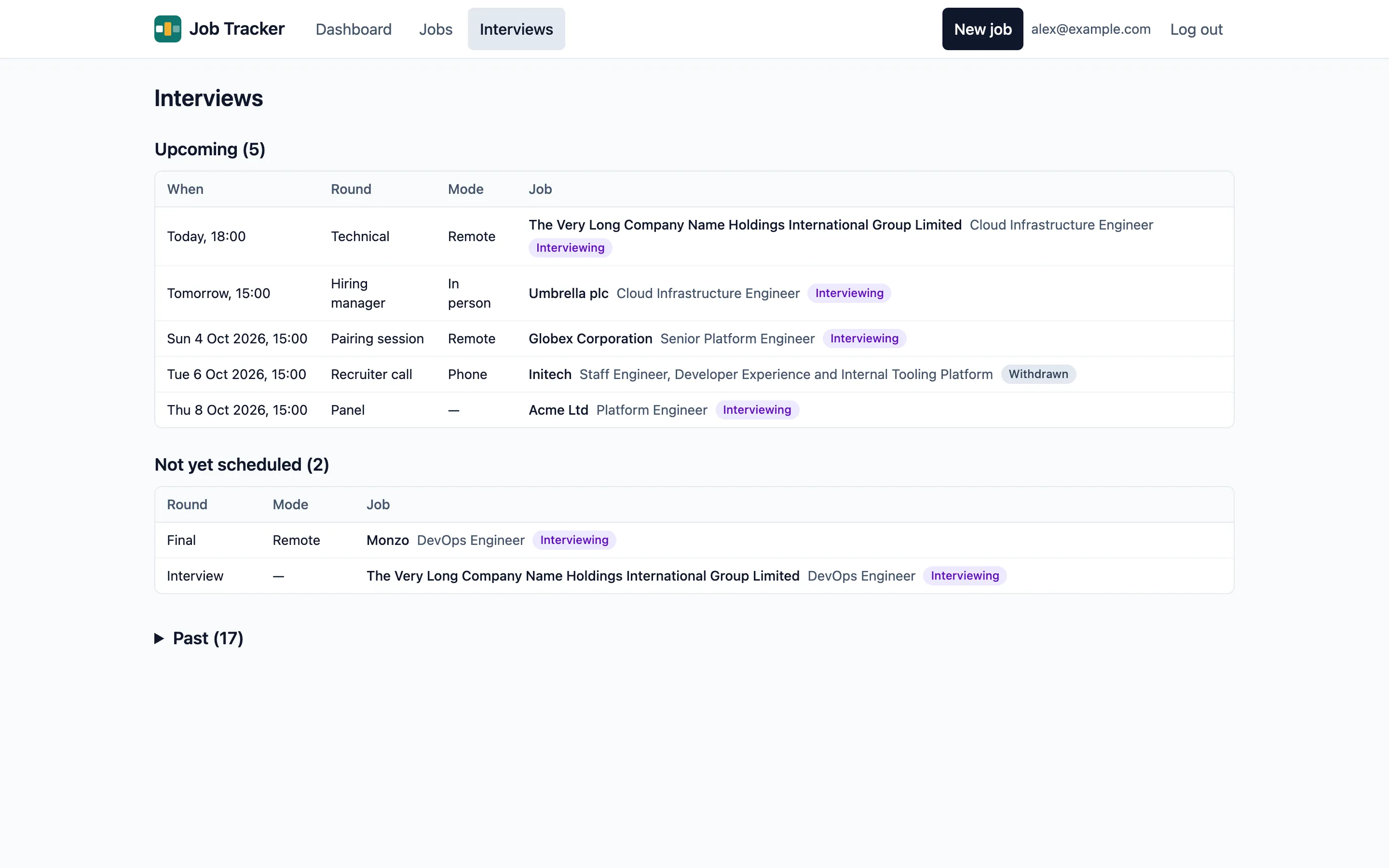
- Upcoming: soonest first, with “Today” and “Tomorrow” for the next two days.
- Not yet scheduled: interviews without a date, on jobs that are still active.
- Past: collapsed; select it to open.
Select an interview to go to its job’s interviews. An interview still booked on a job you’ve since closed stays under Upcoming, so you can cancel it and delete it.